
Turn your FF&E schedule into a client-ready spec book in minutes
Drop the spreadsheet and your product images. Get a paginated PDF with one card per item, room sections and totals that always match the sheet. Nothing is uploaded: it all happens in your browser.
No spam. One email when it launches, and the first month free.
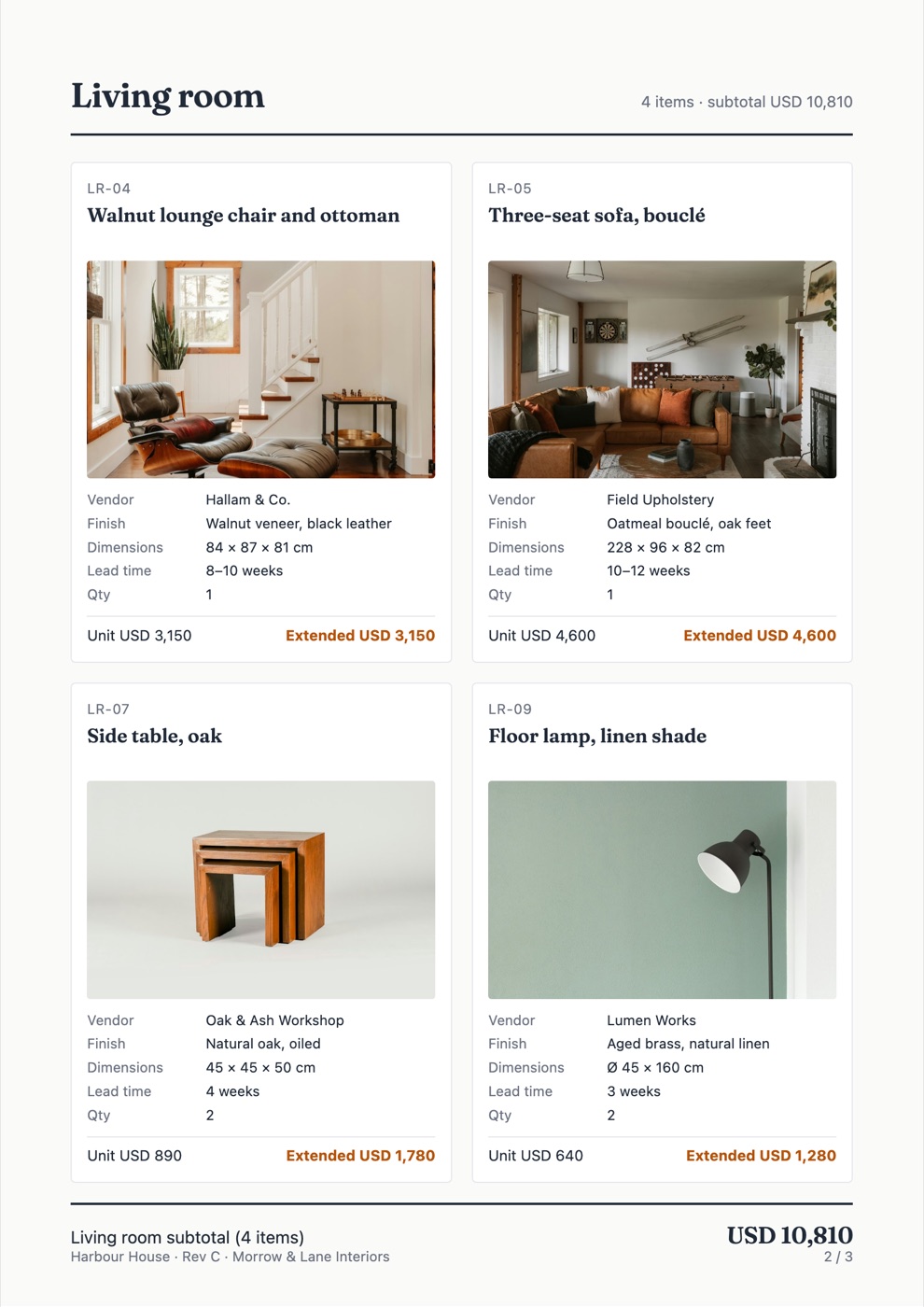
From this to this
| Room | Item | Vendor | Qty | Unit | Ext |
|---|---|---|---|---|---|
| Living | Walnut lounge chair | Hallam & Co. | 1 | 3,150 | 3,150 |
| Living | Three-seat sofa, bouclé | Field Upholstery | 1 | 4,600 | 4,600 |
| Living | Floor lamp, linen shade | Lumen Works | 2 | 640 | 1,280 |
Living room · LR-04

- Product
- Walnut lounge chair and ottoman
- Vendor
- Hallam & Co.
- Finish
- Walnut veneer, black leather
- Dimensions
- 84 × 87 × 81 cm
- Lead time
- 8–10 weeks
- Qty
- 1
- Unit price
- USD 3,150
- Extended
- USD 3,150
Living room subtotal · USD 14,730 · 9 items
One card per item, one section per room, totals computed from the sheet. Revisions take one drop and one export.
How it works
- Map your columns once. Room, item, vendor, finish, dimensions, lead time, quantity, unit price. The mapping is saved for next time.
- Pick a layout. One, two or four items per page, your logo and colour, cover and room dividers.
- Export a print-ready PDF. For a revision, drop the new sheet and export again. The totals in the book are the totals in the sheet.
Open a sample spec book
Three pages: cover, one room, budget summary. Fictional project, real layout.
Open the sample PDFPDF, 0.8 MB
Who it is for
Independent interior designers and small residential studios that issue FF&E spec books to clients and contractors. If your schedule already lives in a spreadsheet, you are ready.
Pricing
or USD 180 per year. Waitlist members get the first month free.
Studio platforms bundle procurement, invoicing and client portals for USD 49 to 109 per user per month. This does one job: the book. No seats, no onboarding call.
Questions
Is my spreadsheet uploaded anywhere?
No. The sheet and the images are read in your browser and the PDF is generated there. Nothing leaves your machine except the email you give us on this page.
What formats does it read?
CSV and XLSX for the schedule; JPG, PNG and WebP for images, matched to rows by item code or file name.
What happens when the schedule changes?
Drop the new file. Your column mapping and branding are saved, so a revision is one drop and one export.